![AdsKeeper_Logo_Help_Center.svg]](https://help.adskeeper.com/hubfs/AdsKeeper_Logo_Help_Center.svg)
AdSpace Dashboard Settings
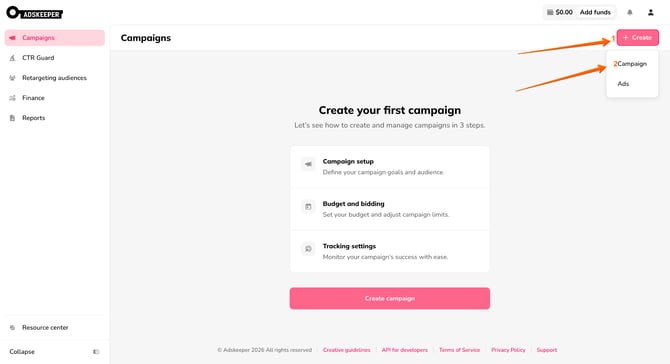
1. Start by creating (or editing) a campaign in the Adskeeper dashboard.
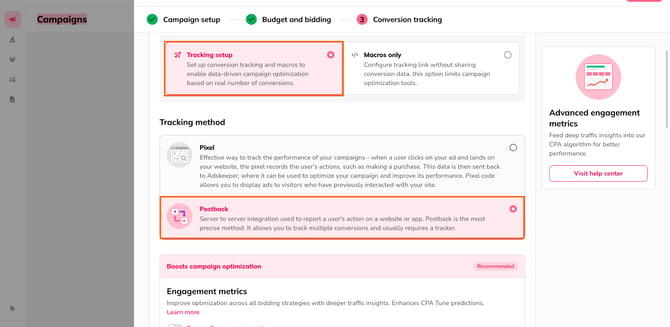
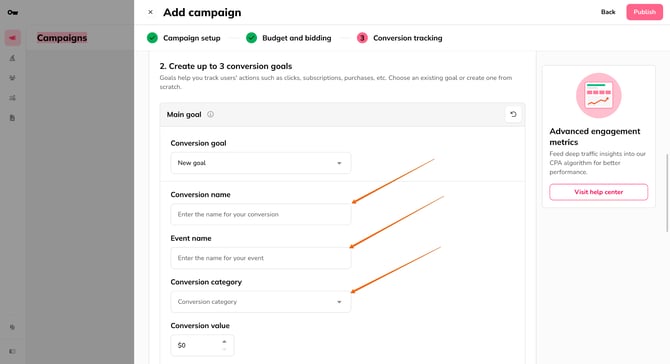
2. At the Conversion tracking step, choose the Postback option for your tracking method.
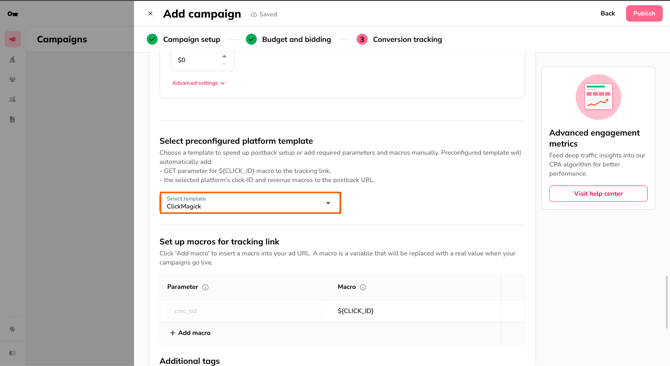
3. Add an Event name for the conversion goal. We recommend creating a unique name; however, you can enter any name.
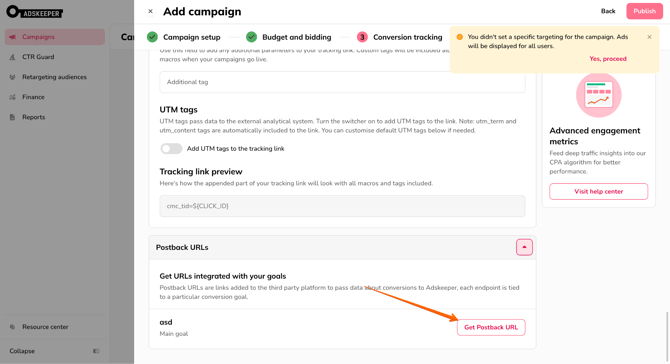
4. Click Get Postback URL
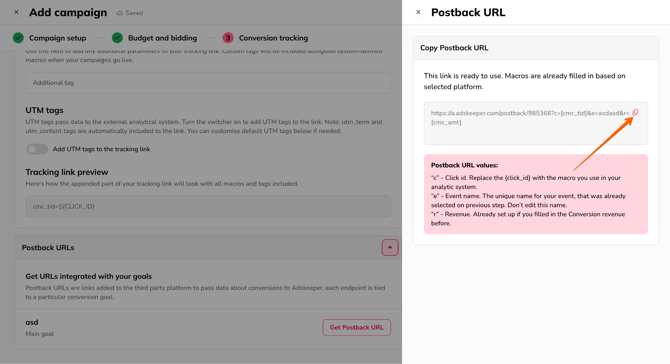
5. Copy the generated postback URL
ClickMagick Tracker Settings
1. In your ClickMagick account, create a new campaign.
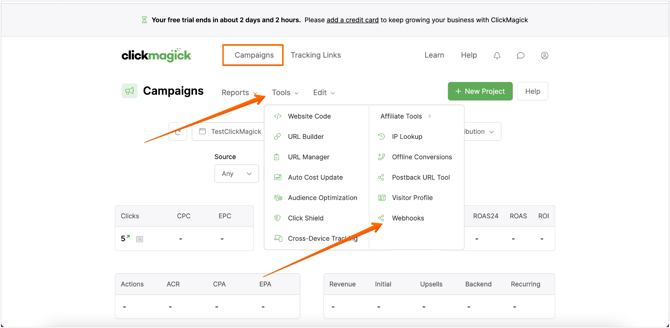
2. Open the Webhooks tool by clicking on Webhooks from the Campaigns Tools drop-down menu.
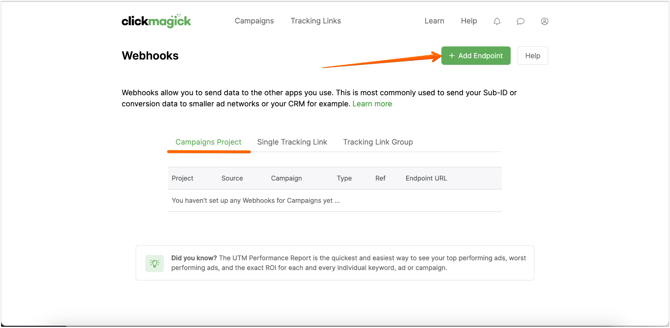
3. Click on the Add Endpoint button
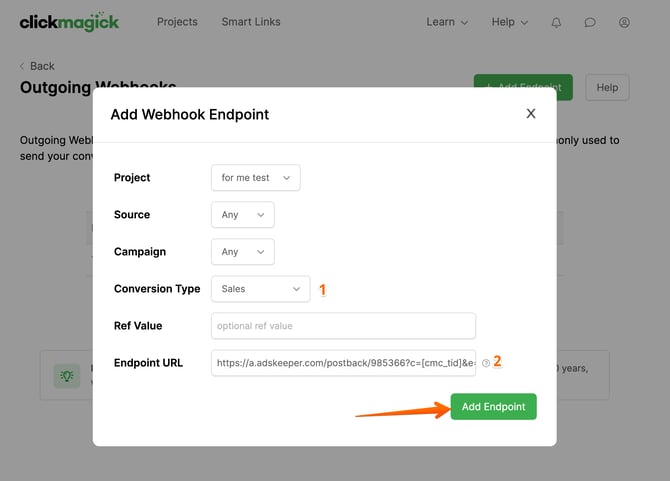
4. A pop-up will appear. There, you will fill out the required fields and click Add Endpoint. For this instruction, focus on Conversion Type and Endpoint URL.
- For the Conversion type, choose Sales.
- For the Endpoint URL field, insert the copied postback link generated from the Adskeeper Ads dashboard (Step 5).
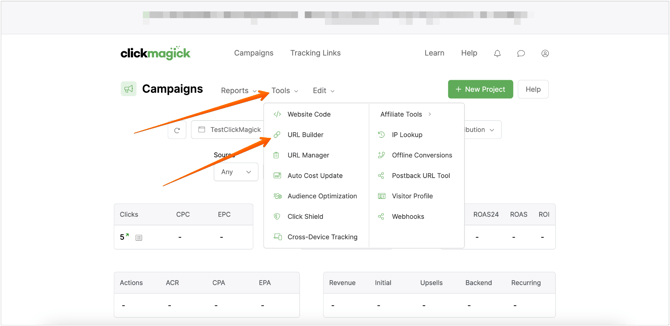
5. Go to the Campaigns Tools menu and choose URL Builder from the drop-down list.
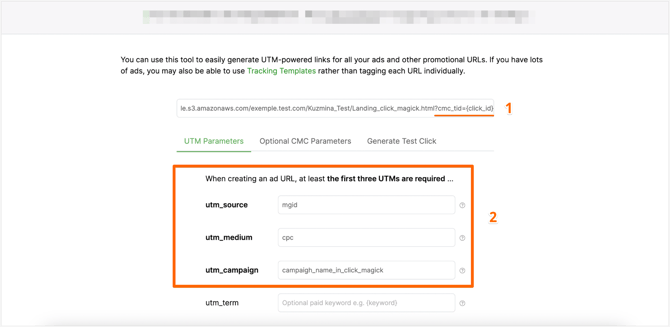
6. Input the following information:
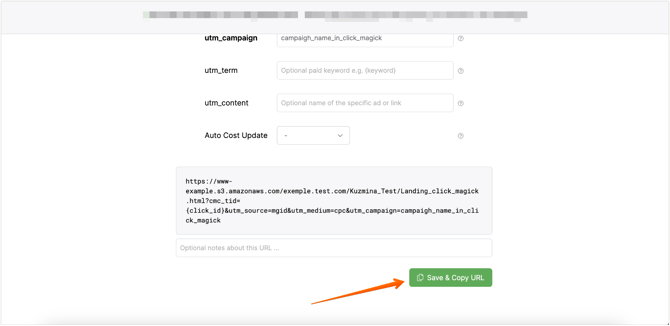
- Manually add the parameter cmc_tid={click_id} to the link.
- Fill in all required fields with UTMs.
7. Save and copy the URL. Use this link for teaser creation.