![AdsKeeper_Logo_Help_Center.svg]](https://help.adskeeper.com/hubfs/AdsKeeper_Logo_Help_Center.svg)
AdSpace Dashboard Settings
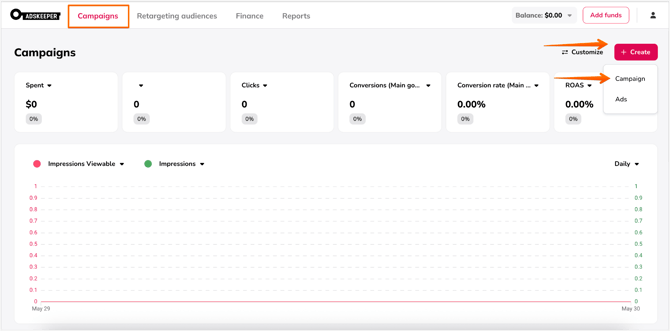
1. Start by creating (or editing) a campaign in the Adskeeper dashboard.
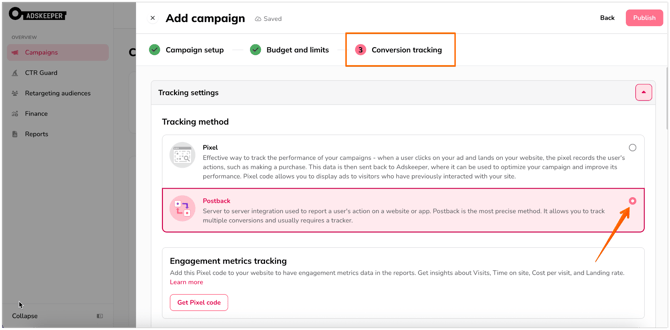
2. At the Conversion Tracking step, select the Postback option.
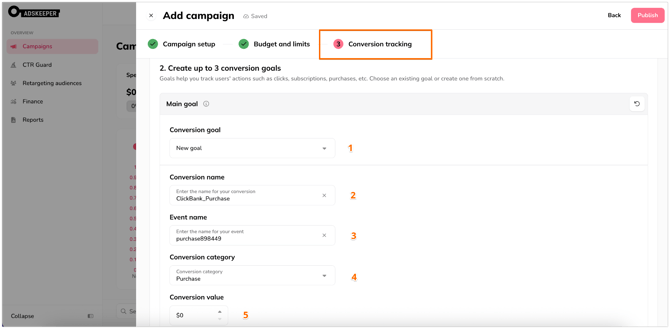
3. Set up the Main goal.
- Configure Conversion Goal: Create a new goal or select an existing one.
- Conversion Name: This name will be displayed within your dashboard.
- Event Name: We recommend creating a unique name, though any name is acceptable.
- Conversion Category: Select the relevant category.
- Conversion Value: Assign a value if applicable.
4.1 Set up the Additional settings under the Main Goal configuration. This option is available under all goals, Main, Additional1, and Additional2 respectively.
4.2 Two extra goals are available for more granular conversion tracking.
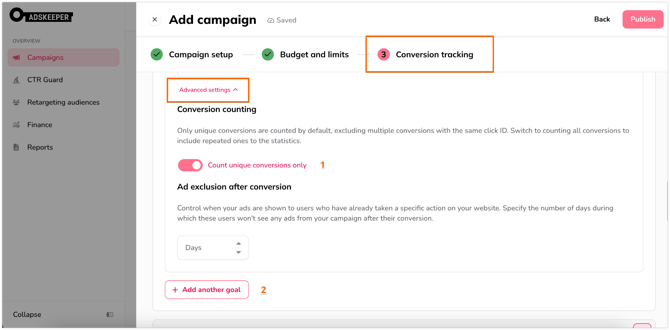
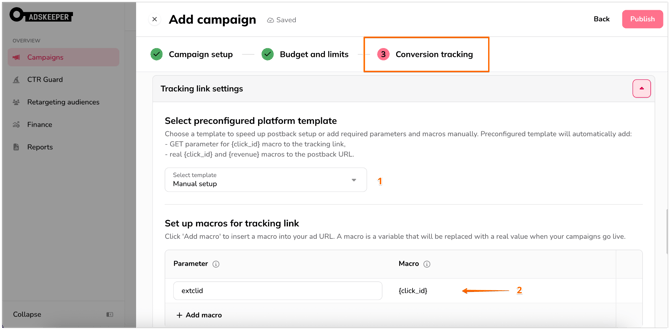
5. Configure the Tracking link settings
- Under the Preconfigured platform template section, choose Manual Setup.
- Add ClickBank click_id parameter.
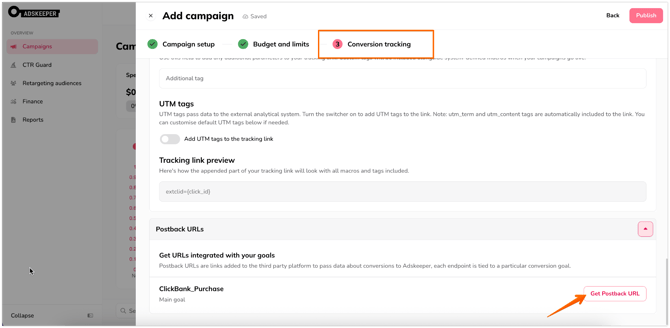
6. Click Get Postback URL.
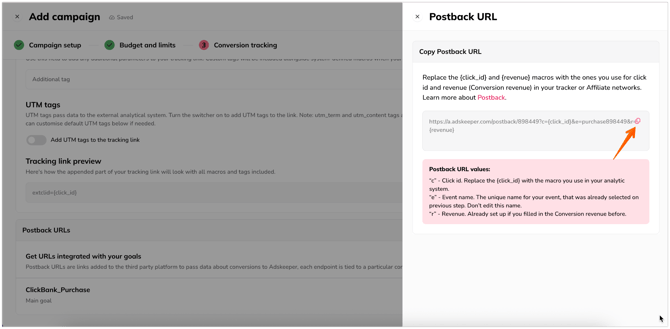
7. Copy the generated Postback URL. You will need to enter this into your ClickBank account (see instructions below).
ClickBank Tracker Settings
1. In your ClickBank account, navigate to Integrations and click on Postback/Pixels.
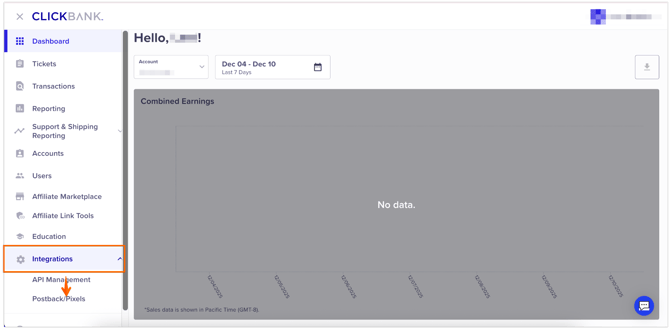
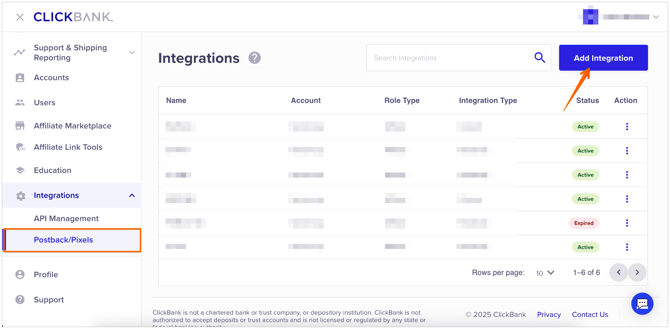
2. Click on Add Integration.
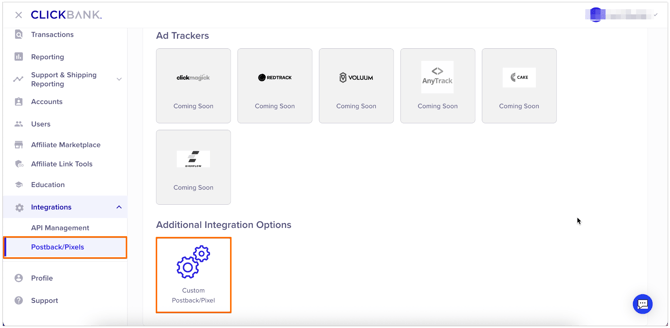
3. Select Custom Postback/Pixels.
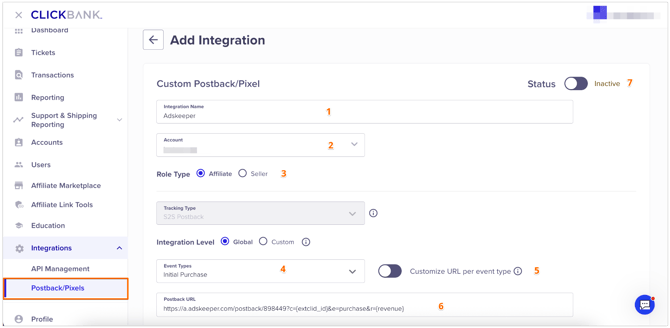
4. Configure postback settings
- Name: Give your integration a recognizable name.
- Account: Select your account.
- Role type: Select Affiliate.
- Event Type: Choose the specific event you wish to track.
- Customize URL: Enable the Customize URL per event type toggle (required if tracking more than one event).
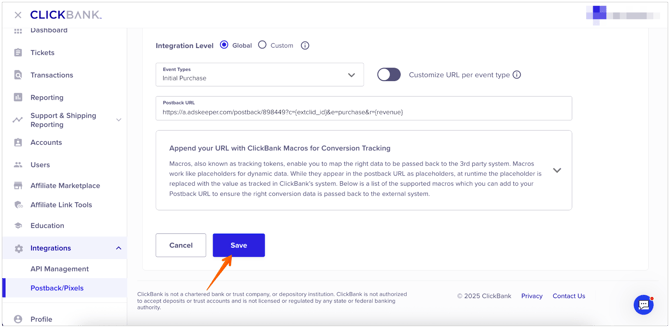
- Insert URL: Paste the postback URL from Step 7. Crucial: Replace the placeholder in the c= parameter with the ClickBank macro. Your link should look similar to this:
https://a.adskeeper.com/postback/951378?c={extclid}&e=Purchase&r={currency}
5. Status: Switch the Status toggle to Active.
6. Click Save.